

MT5 vs cTrader: Which Forex Platform Should You Use?
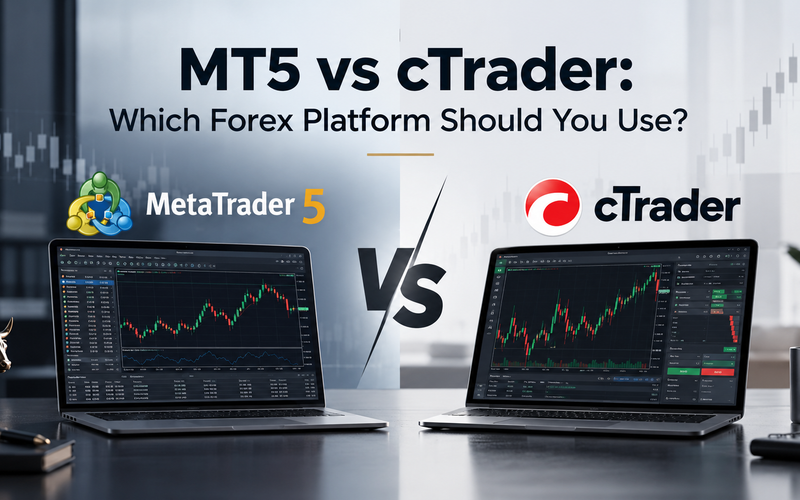
Your trading platform is the tool you will use for every chart, every order, and every position you ever open. Olympus Capital FX offers two: MetaTrader 5 (MT5) and cTrader. Both are professional platforms, and both can run your strategy well. The right choice depends on how you trade, what tools you want, and how you like your charts and orders to behave. This guide compares them in plain terms so you can pick with confidence.
What Each Platform Is
MetaTrader 5 (MT5) is the successor to MT4 and one of the most widely used retail forex platforms in the world. It offers a large library of indicators, a built-in strategy tester, a mature ecosystem of Expert Advisors (automated trading robots), and broad community support.
cTrader is a newer platform known for a clean, modern interface, fast order execution, and detailed order and depth-of-market tools. Its automation language, cAlgo, uses the C# programming language, which many developers find familiar.
Side-by-Side Comparison
| Feature | MetaTrader 5 | cTrader |
|---|---|---|
| Interface | Familiar to most traders, dense with menus, highly customizable | Clean and modern, simpler layout, easier for newcomers |
| Indicators | Very large library, including many free and paid options | Solid built-in set, plus a growing library of community tools |
| Automation | Expert Advisors written in MQL5 | cBots and indicators written in C# (cAlgo) |
| Strategy testing | Built-in strategy tester with multiple test modes | Built-in backtesting with cBot testing support |
| Order types | Market, limit, stop, and stop-limit orders | Market, limit, stop, and stop-limit orders, with additional order management options |
| Mobile apps | Available for iOS and Android | Available for iOS and Android |
| Best for | Traders who want a huge indicator and EA ecosystem | Traders who want a modern interface and fast, clean execution |
Feature details can change with platform updates. Check the current platform documentation for the latest capabilities.
Which Platform Suits Which Trader?
Choose MT5 if you:
- Want access to a very large library of indicators and Expert Advisors
- Plan to test and run automated strategies written by others
- Are already familiar with MetaTrader from another broker
Choose cTrader if you:
- Prefer a clean, uncluttered interface
- Are a beginner who wants a simpler starting layout
- Want to build or customize automation in C#
- Value detailed order management and a modern workflow
Good news: Your choice is not permanent. Your strategy, risk rules, and account remain the same. Many traders test both on a demo account before committing to one.
Practical Tips for Either Platform
- Practice on a demo account first. Learn the order window, chart settings, and how to attach stop loss and take profit before risking real money.
- Set up your chart template once. Save your preferred indicators and timeframes so you start every session with the same layout.
- Check order details before confirming. Verify the symbol, lot size, direction, stop loss, and take profit every time.
- Be cautious with third-party Expert Advisors. Test any automated system thoroughly on demo before running it on a live account, and never assume a strategy that looks profitable in a backtest will perform the same way live.
- Learn your platform’s order types. Knowing how each order behaves is more important than which platform you choose. See our guide to forex order types for the fundamentals.
Common Mistakes When Switching Platforms
- Assuming indicators behave identically. The same indicator name can use slightly different calculations or default settings across platforms.
- Forgetting to set stops. Interface differences can make it easy to place an order without attaching a stop loss.
- Mixing up chart timeframes. A chart set to the wrong timeframe can lead to decisions based on the wrong data.
🎯 Key Takeaways
- MT5 offers the largest indicator and Expert Advisor ecosystem.
- cTrader offers a clean, modern interface and C#-based automation.
- Both support the core order types, mobile apps, and demo practice.
- Pick the platform that fits how you trade, and test it on demo first.
- Your strategy and risk rules matter more than the platform itself.
- Verify every order before confirming, especially after switching platforms.
